2.1 - Current
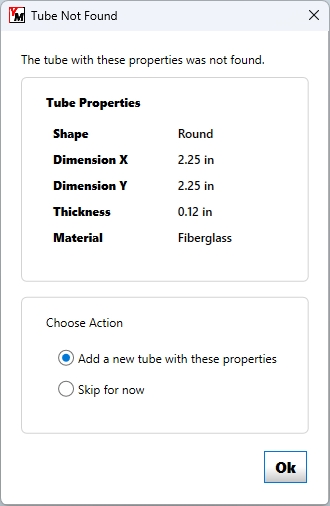
Named materials used in the design are now included at the end of the file. This change makes it much easier to confirm the included tubes by matching them with known materials of the same name in the tubing file or by prompting the user to add them.
2.0
This reworked file structure was necessary to better organize the data and to accommodate the way that YM 6 deals with physical tubes rather than cross sectional equivalents.
Unlabeled - Previous Versions
In older builds of Yagi Mechanical®, the user would build a design from their own determined cross sectional equivalent tubing and these are what was stored in the saved design files. In simpler single wall taper designs, there was not a large difference between the equivalents and actual tubing used to construct the design, but more complex designs resulted in saved files that had to be analyzed to determine the intended physical tubing sizes used to produce the defined cross sections.
General Information and Troubleshooting
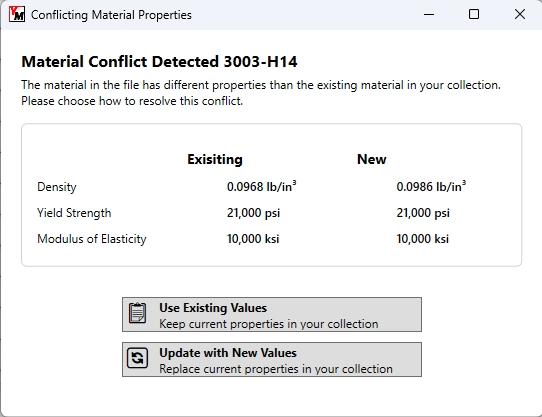
Yagi Mechanical®’s current build has been configured to accept all of these file revisions and most users will find that many older files open successfully - especially with the included dialogs that allow the user to add a new material, clarify the details of materials in use in the event of a conflict, or easily add tubing sizes of an existing material type. This will not guarantee being able to open all files, especially given the differences between older and newer versions of YM. The built in calculations that break down the cross sectional equivalents work well and can effectively import the correct structure of many old antenna designs, but some will encounter errors preventing a successful load.
All file revisions are stored in plain text and in the order of antenna details, elements, boom, notes, and materials. In the case of trying to open any file that YM is presenting errors for, it is recommended to open the file in any text editor where you can directly see what is defined in the design. While the given error message might provide enough detail to modify the file and get it to open correctly, our recommendation is that you instead recreate the design in YM while viewing the file. This method provides higher likelihood of getting the antenna input correctly.